Litter-Robot 4: laser sensor cleaning instructions
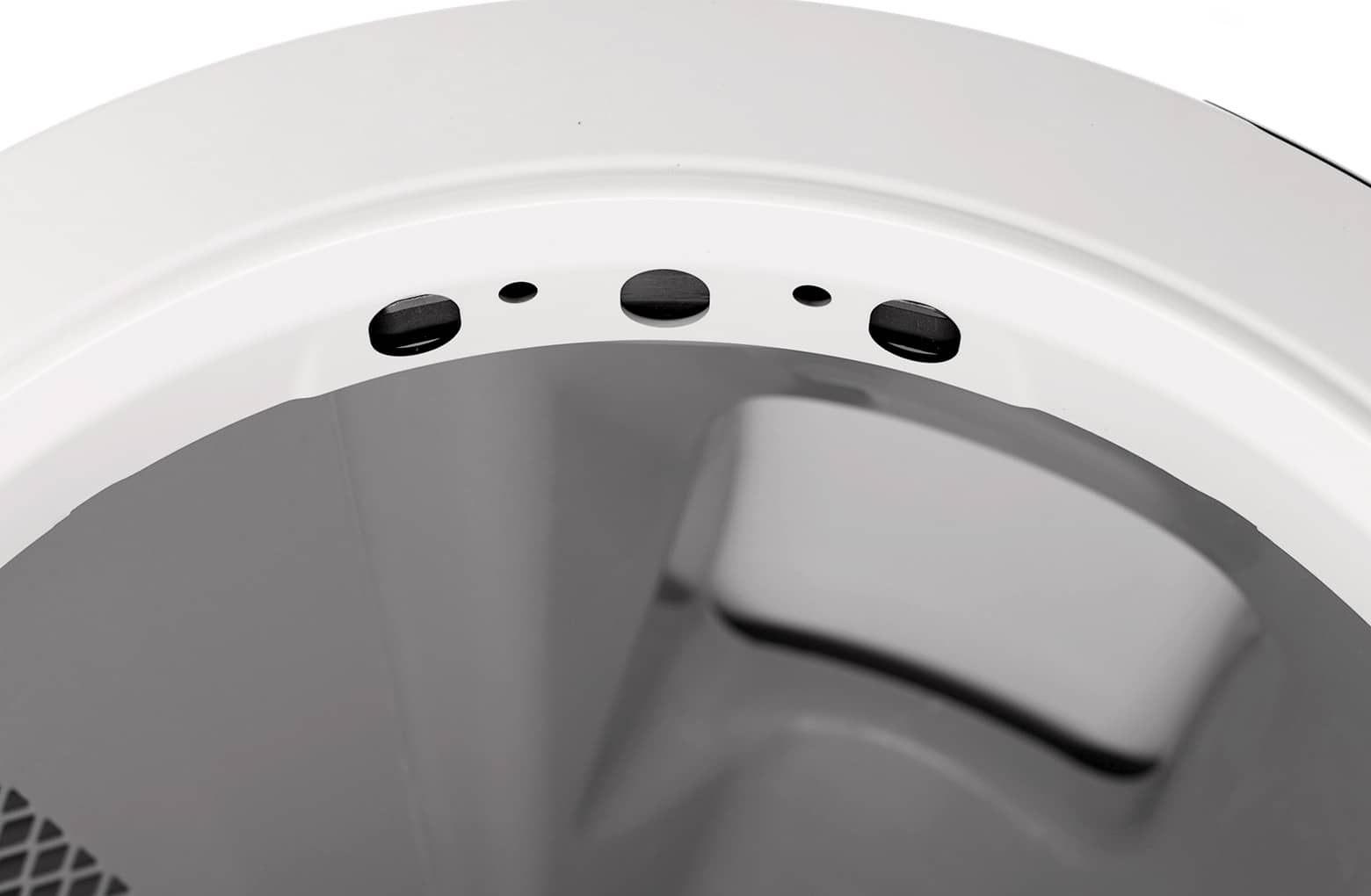
Litter-Robot 4 uses OmniSense™ detection — three laser "curtain" sensors in the top of the bezel and a weight scale in the base — to detect when a cat enters or exits. Debris such as dust or cat fur can interfere with these sensors, causing inaccurate litter and waste-drawer readings or false cat detections. This guide shows you how to clean them.
Applies to: Litter-Robot 4.
Watch: cleaning the OmniSense laser sensors
Quick clean
- Wipe the bezel area around the sensors with a dry, clean cloth to remove hair and dust.
- Vacuum the inside perimeter of the bezel with a brush attachment, passing over the sensor holes at the top. You can also use compressed air to gently clear debris lodged in the sensor openings.
- Run a test cycle: short-press Reset, then Cycle. A solid blue light bar means you're done.
If that didn't work: deeper clean
- With the unit at Home, press Power to turn it off and unplug it.
- Remove the bonnet (release the side latches, lift and rotate open) and the fence if fitted.
- Remove the globe by its black handle, and remove the waste drawer.
- Check the seal strips at the lower front of the globe aren't peeling up or clogged with cat fur — fur here can interfere with the curtain sensors as the globe rotates.
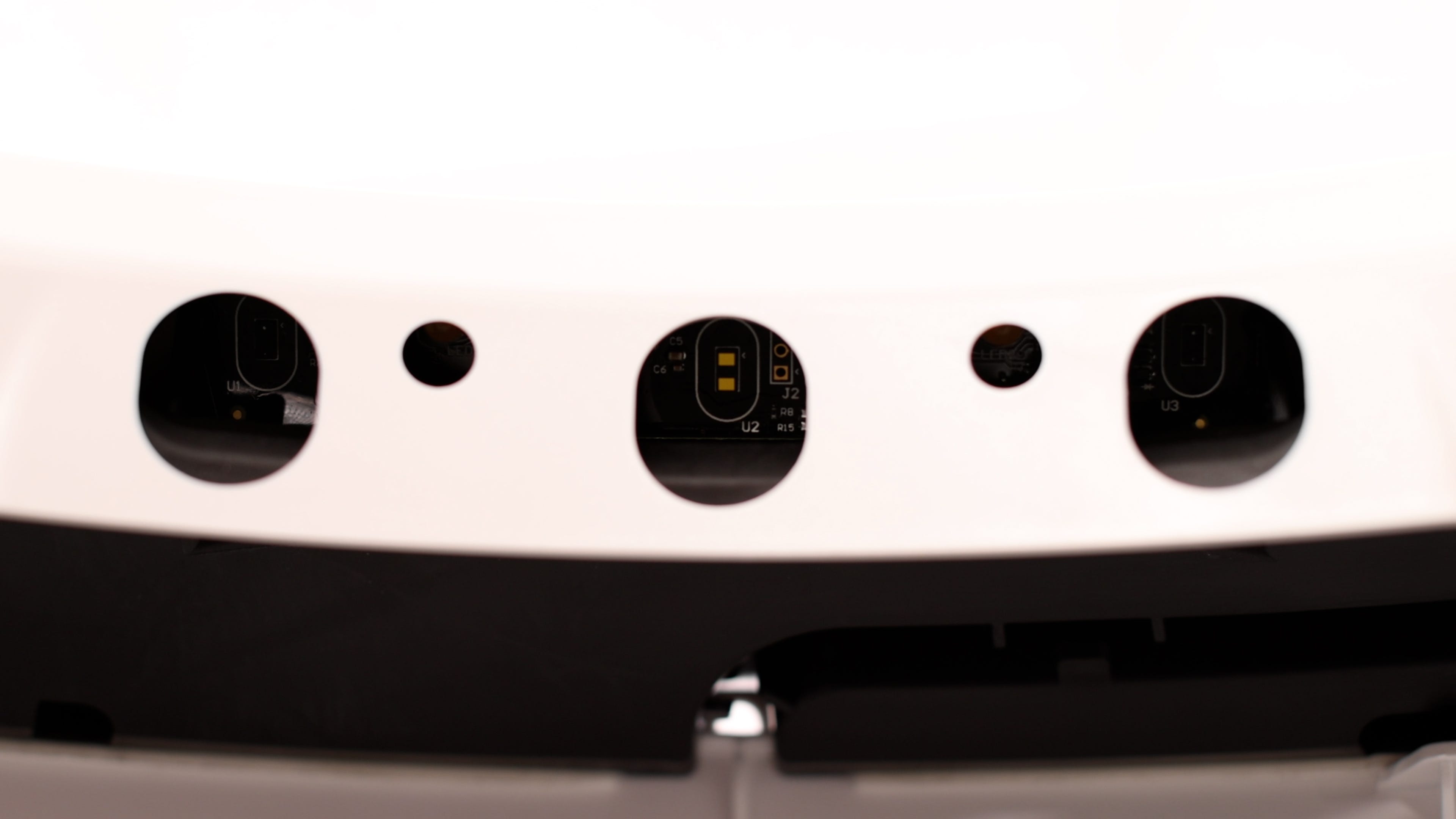
- Lean the unit backward so you can look into the holes on the bezel and see each sensor. Using a clean, dry cotton bud, gently clean the surface of each sensor. You can also use compressed air. (Dust is very hard to see on the sensors; a light clean removes what's interfering.)
- Reinstall the globe (gears aligned, back flush in the rear bearing pocket) and the bonnet (until the latches snap and the centre tab is secured), reinstall the fence, then plug in and power on. A solid blue light means it's ready.
Related articles
- Litter-Robot 4 calibrating OmniSense laser sensors
- Litter-Robot 4 flashing blue light bar (DFI sensor)
- Litter-Robot 4 green with partial red flashing (sensors need cleaning)
Still need help?
Need a hand? Contact the Urban Pet Products support team at support@urbanpetproducts.com.au or through the contact form at support.urbanpetproducts.au.
Was this article helpful?
That’s Great!
Thank you for your feedback
Sorry! We couldn't be helpful
Thank you for your feedback
Feedback sent
We appreciate your effort and will try to fix the article